Project management. Resource planning. Time tracking.
Plan your workload with precision and hit your deadlines calmly.



Key points to address your challenges
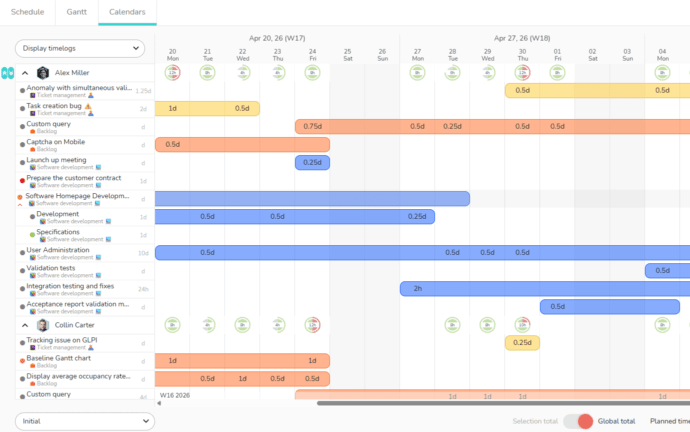
Multi-projects Calendars
Get a quick overview of workload and resource utilization across all your projects.
Easily identify bottlenecks and prioritize your activities for effective operational management.
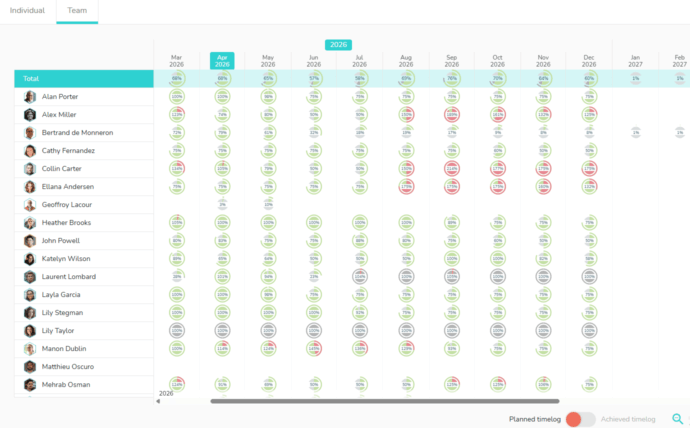
Team agenda
Anticipate and make informed decisions with a comprehensive view of your teams’ capabilities.
Optimize workload distribution and ensure your commitments are met.
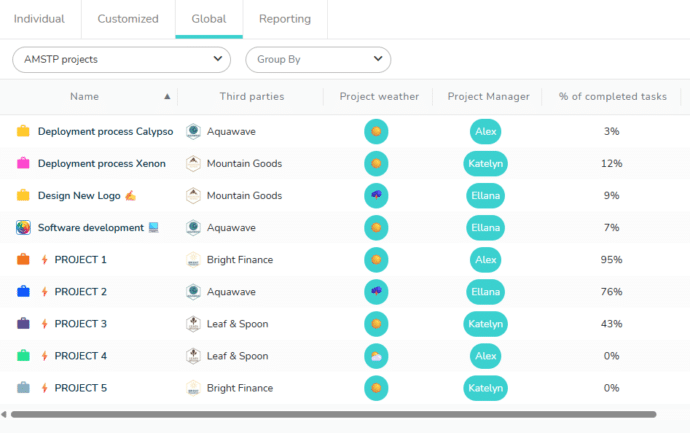
Global dashboard
Customize and manage your project portfolios.
Progress, delays, key indicators, custom fields: visualize the essentials by configuring your dashboards.
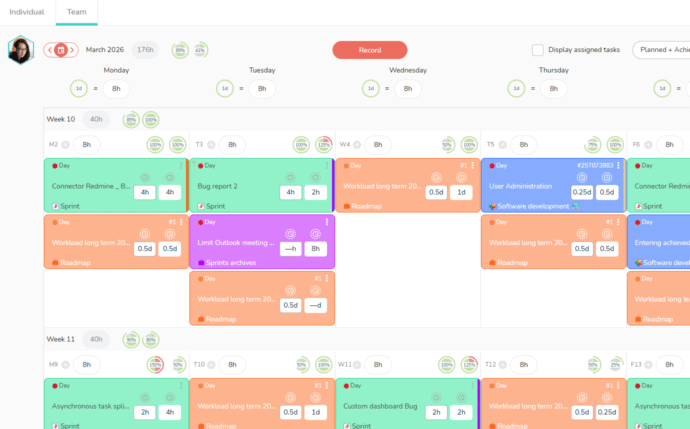
Individual Agenda
Each team member has an agenda to view their tasks and workload.
Sync your agenda and record your time spent in timesheet mode.
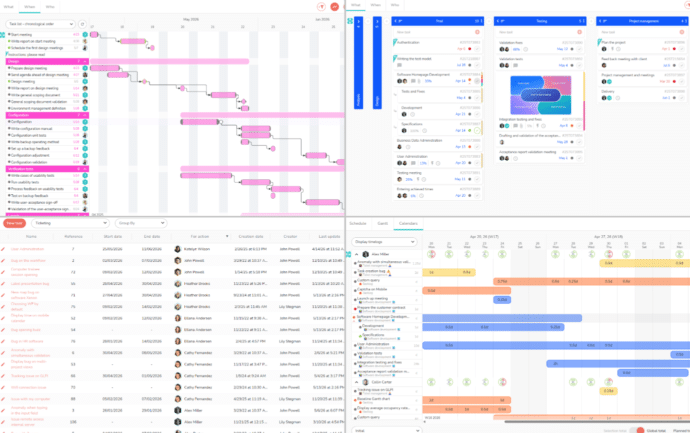
Multiple views
Different views to suit your workflow: Gantt, Kanban, List, or Calendars.
Customize and save your views.
Switch between views for single or multiple projects.
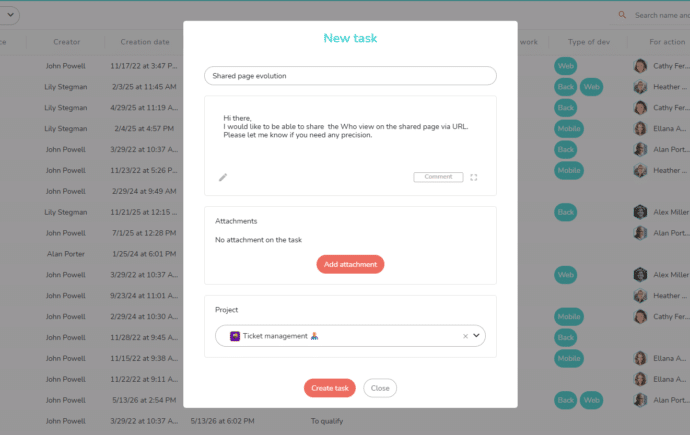
Portal
Centralize your customer and internal requests through a single, simplified entry point.
Then manage all work within Beesbusy: tickets, sprints, projects… with a 360° view of your team’s tasks.
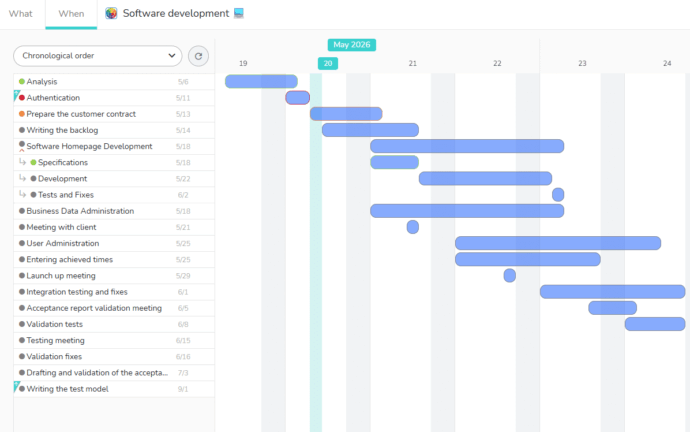
Shared pages
Easily share your projects with your contacts via a read-only web page.
Personalize your shared page by choosing which information to display.
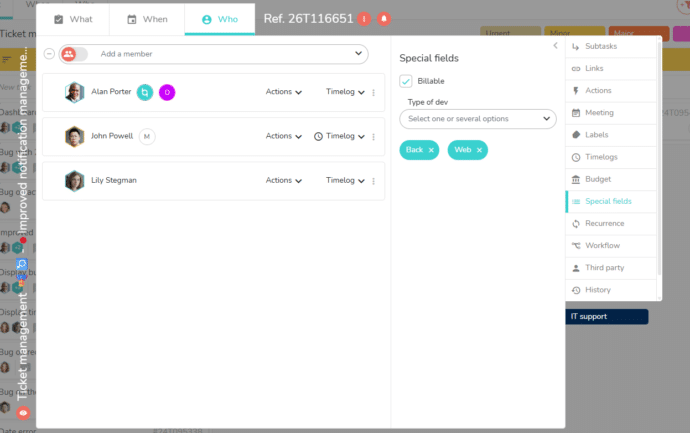
Customized fields
Beesbusy adapts to your organization and your specific needs.
Create your own fields to manage the information you require.
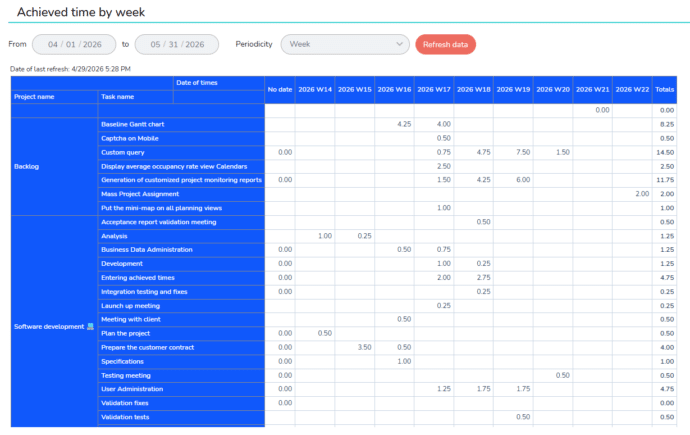
Customized reports
Build your own reports by selecting the elements to display in rows and columns.
Easily track time by project, task, resource, etc.
Compare yours planned and actual results.
Ergonomics & Adoption
Enjoy an intuitive and simple interface.
Simplify deployment and ensure rapid adoption by your teams.

Designed for all types of teams
Regardless of the department :
IT • Marketing • General services • R&D • HR • …
Or the sector of activity :
Software edition • Consulting • Insurance • Research • Design office • Public services • Industry • …






















Frequently Asked Questions
What is the purpose of a project management tool?
A project management tool allows you to organize tasks, plan them and coordinate the various resources (employees, suppliers, customers, etc.) according to constraints and availability.
More and more organizations are using the project mode to manage their activities.
You can manage your activities with the objective of planning interventions, missions, work … this concerns mainly consulting firms, IT companies, marketing agencies, craftsmen …
In this context you will use advanced features such as the Gantt chart, optimization of the occupancy rate, the planning of ressources, the entry and the follow-up of times, …
It is also possible to use project management software to manage activites known as support function such as marketing, recruitment, administrative tasks, IT after-sales service…
These activities concern all companies, and you will use collaborative task management functions in Kanban mode where everyone can organize and/or consult the progress of tasks and activities.
What are the key factors of a project management application?
An efficient project management application must offer advanced planning features to allow the project manager to establish a detailed schedule with links between tasks and milestones materializing strong deadlines.
Project management software must also be an easy-to-use collaborative work tool to allow all users (occasional, contributors) to read the schedules, validate a task, enter a comment on a task and update their times.
Finally, communication and information sharing are essential factors for the success of a project. Project management solutions must offer elaborate and selective features that allow information to flow, without overwhelming users with an excessive flow of notifications.
What are the different types of project management applications?
There are currently two main types of project management tools.
“Work organization” oriented tools that allow collaboration on activities and the organization of tasks with an agile and very visual approach. The planning of tasks in time allows you to have a global vision of the planning and to understand the deadlines of the project.
“Gantt chart” oriented tools that offer a more precise planning of tasks with the possibility of positioning work time and thus distinguish the workload allocated to the task from the duration of the task.
More than 80,000 users rely on Beesbusy

Customization
You have specific needs, we can make custom developments.

White-label
Add your logo and choose the colors of your workspace.

Online help
With online help and support at your service, your questions will not go unanswered.

Privacy policy
Your data is used only by us and is never resold.